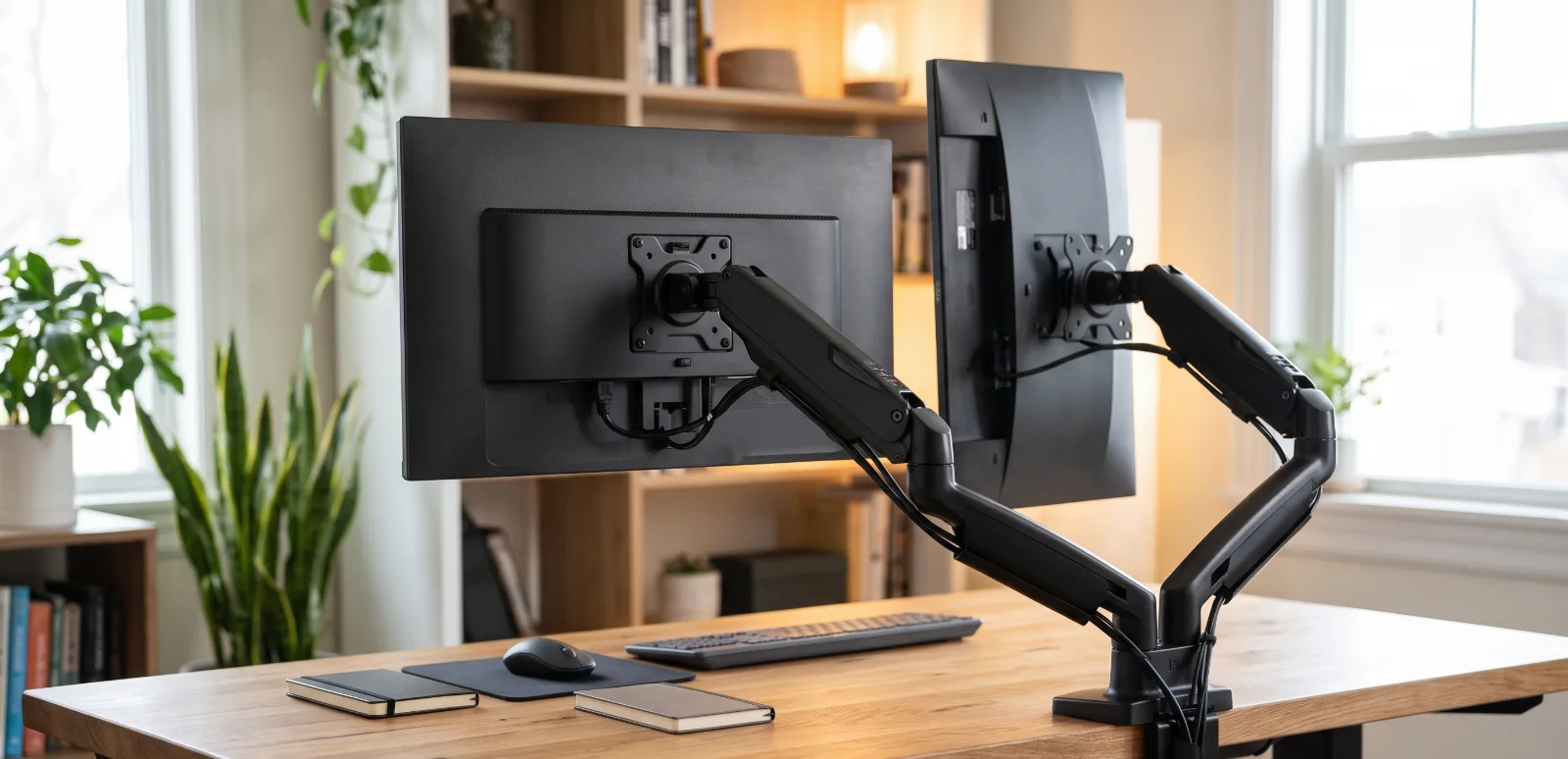
The Ergotron LX is the best premium monitor arm for most people who want one screen to move smoothly and stay put. The HUANUO FlowLift is the sensible value choice for a typical home-office monitor. The MOUNTUP dual arm is the affordable pick when two lighter screens need to share one base.
A monitor arm can clear a surprising amount of desk space and make a screen easier to place at a comfortable height. It can also introduce a slow sag, a bouncing screen, or a clamp-shaped souvenir in a cheap desktop. The difference usually comes down to compatibility and installation, not whether the product photos contain a suspiciously tidy plant.
The Amazon US listings and ASINs below were checked in August 2026. Prices are deliberately omitted because Amazon can change them without warning.
Quick comparison
| Monitor arm | Screen arrangement | Advertised weight range | Best for |
|---|---|---|---|
| Ergotron LX B0797LL9BC | One monitor | 7 to 25 lb | Premium movement and durability |
| HUANUO FlowLift B07T3KCQ94 | One monitor | 4.4 to 19.8 lb | Everyday value |
| MOUNTUP B08612WQZT | Two monitors | Up to 17.6 lb each | Affordable dual-screen desks |
Best premium pick: Ergotron LX
The Ergotron LX is the expensive answer that makes sense when you reposition the monitor often or expect the arm to outlast several screens. The current LX specifications cover a monitor up to 34 inches and 7 to 25 pounds, with standard 75 x 75 mm and 100 x 100 mm VESA patterns.
Its arm provides height adjustment, extension, tilt, pan, and rotation. Ergotron also gives the LX a ten-year warranty. That matters because a monitor arm is a mechanical product. Springs, joints, clamps, and pivots do the work every day, even when the marketing department is asleep.
Choose the LX if:
- You use one compatible monitor
- You move the screen between focused work, video calls, and shared viewing
- A long warranty matters
- You want a wide adjustment range and have enough space behind the desk
- You may keep the arm through future monitor upgrades
The LX is not automatically correct for every 34-inch display. Check the exact monitor weight without its factory stand. Then add the weight of any VESA adapter. Curved and ultrawide screens also create more leverage because their mass extends farther forward.
Check the Ergotron LX on Amazon US
Best value: HUANUO FlowLift single arm
The HUANUO FlowLift listing covers 13 to 32-inch monitors weighing 4.4 to 19.8 pounds. It supports the two common VESA patterns and includes clamp and grommet mounting options.
That range fits many ordinary 24, 27, and 32-inch office monitors. The lower minimum weight is important. Gas-spring arms are not only limited by a maximum. A screen that is too light may rise or refuse to stay at the desired height even after tension adjustment.
Choose the HUANUO if:
- You want a single gas-spring arm at a lower cost
- Your monitor is clearly inside the stated range
- Standard VESA support is built into the display
- You mostly set the position once and make occasional adjustments
The desk still needs attention. Make sure a clamp can sit flat under the desktop. Cable-management trays, metal support rails, rear aprons, and drawers often occupy the exact space where a clamp wants to live. A grommet mount can solve some layouts, but it requires a suitable hole and a desktop built to carry the load.
Check the HUANUO FlowLift on Amazon US
Best affordable dual arm: MOUNTUP
The MOUNTUP dual model is made for two screens from 17 to 32 inches, with a maximum of 17.6 pounds per arm. It supports VESA 75 x 75 mm and 100 x 100 mm, and the package includes clamp and grommet bases.
This is the practical choice when desk space matters more than independent premium arms. A single base is tidy, and the screens can be arranged side by side. The tradeoff is that dual arms have to share space. Moving one monitor can affect the geometry of the other, especially when both screens are large.
Choose it if:
- Both monitors weigh 17.6 pounds or less without their stands
- Both use a supported VESA pattern
- You want an inexpensive two-screen arrangement
- Your desk has room for the base and rearward arm movement
Do not assume that two 32-inch screens will fit every promised arrangement. Width, bezel shape, arm reach, and VESA-hole height change the result. MOUNTUP notes that its stacked configuration has a smaller practical size limit than the side-by-side setup. Measure the real screens and sketch the intended position before ordering.
Check the MOUNTUP dual monitor arm on Amazon US
How to check compatibility
1. Find the monitor weight without the stand
Use the manufacturer's specification page for the exact model. Retail pages sometimes show shipping weight or weight with the factory stand, neither of which is the number the arm carries.
Stay comfortably inside the range. Buying an arm rated exactly to the last ounce leaves no room for an adapter plate, light bar, webcam mount, or inaccurate listing.
2. Check the VESA pattern
Most arms in this guide support 75 x 75 mm and 100 x 100 mm patterns. Some monitors need a proprietary adapter, and a few thin displays have no VESA mount at all.
Confirm screw size and permitted screw depth. A screw that is too long can damage a display. Use the hardware and spacers required by the monitor and arm instructions.
3. Inspect the desk
A solid wood or strong commercial desktop is usually straightforward. Particleboard quality varies. Hollow-core and glass desks require special caution, and some should not accept a clamp mount at all.
Look underneath for obstructions. Measure desktop thickness and available clamp depth. A reinforcement plate can distribute pressure, but it does not magically turn a weak or damaged desk into structural furniture.
4. Measure rear and side clearance
An articulating arm can extend behind the desk. A desk pushed against a wall may prevent the monitor from reaching the position shown in product photos. The arm can also collide with shelves or a neighboring screen.
If you are still choosing the overall layout, start with our monitor setup guide for developers. Pick the screen positions first, then buy an arm that can produce them.
Ergonomic setup without pretending there is one magic angle
Place the primary screen directly in front of your normal working position. A common starting point is to keep the top of the visible screen around eye level or slightly below, then adjust for comfort, prescription lenses, screen size, and viewing distance.
Avoid raising the monitor so high that you tilt your chin upward. For a large screen, the top edge may sit above eye level while the main working area remains comfortable. The useful test is whether the neck and shoulders stay relaxed during an ordinary work session.
With two monitors, center the one used most. If both receive equal attention, place the inner bezels near the center and angle the screens slightly inward. A dual setup that looks symmetrical but forces constant neck rotation has succeeded mainly as interior decoration.
Installation tips that prevent regret
- Clear the desk and protect the monitor face on a clean surface.
- Install the base and lower arm before attaching the display.
- Ask for help with a large or expensive monitor.
- Tighten the VESA screws evenly without overtightening.
- Adjust spring tension only after the monitor is attached, following the manual.
- Leave cable slack through the full movement range.
- Move the arm slowly and watch the clamp during the first adjustments.
- Recheck mounting hardware after a few days.
Do not hang from the arm, use it as a handle to move the desk, or exceed the load rating with extra accessories. If the desk bows, cracks, or the clamp shifts, stop using it and correct the installation.
Final verdict
Buy the Ergotron LX when smooth adjustment, a broad movement range, and a long warranty justify the premium. Buy the HUANUO FlowLift for a normal single-monitor home office on a tighter budget. Buy the MOUNTUP dual arm when two compatible lighter displays need to share one affordable mount.
The best monitor arm is not the one with the largest number on the box. It is the one that fits the monitor, fits the desk, and stays boring after installation. Boring is excellent when several hundred dollars of screen is hovering above your coffee.